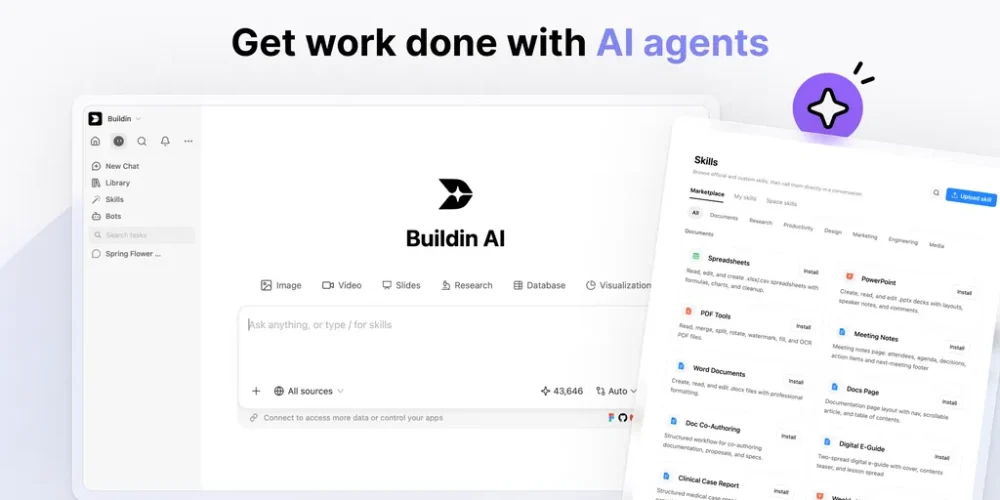
Buildin combines documents, databases, project views and paid content access in one workspace. That gives it a more interesting proposition than another place to store notes: a consultant could maintain a working knowledge base and sell access to selected material from the same system.
My verdict: Buildin belongs on your shortlist if you need a flexible workspace with a genuine content-delivery use case. Test migration, permissions and export before replacing your current system. The AI agent features are useful to assess, but I would base a lifetime purchase on the workspace you can use today and a clear understanding of its AI allowance.
Check the live Buildin AppSumo offer →
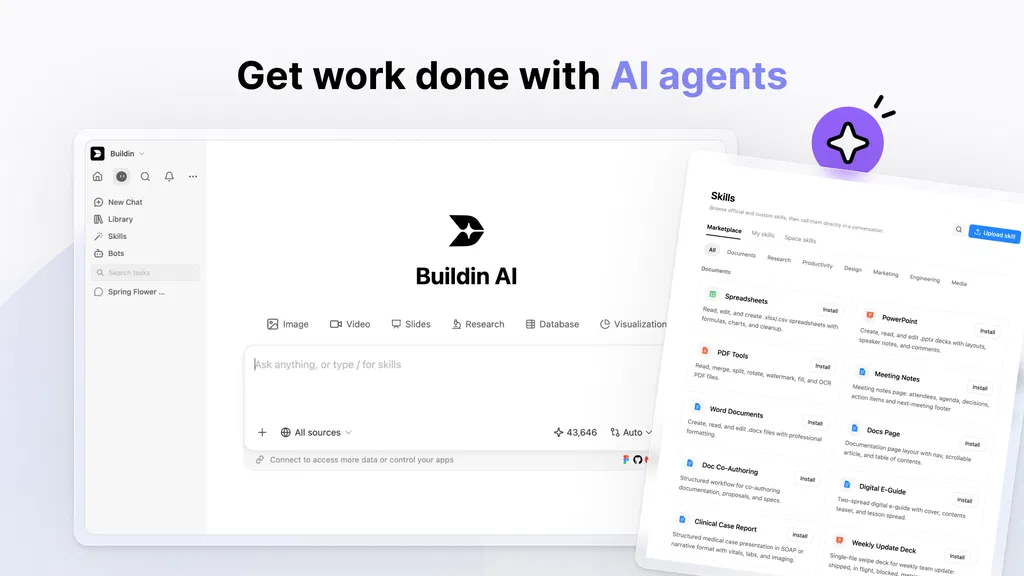
Watch the Buildin AppSumo demonstration
What is Buildin designed to replace?
The AppSumo listing positions Buildin around shared documents, structured databases, mind maps and project management. Boards, lists and timelines organise work, while pages keep the requirements and decisions alongside it. Imports include Notion, Evernote ENEX, CSV, HTML and DOCX according to the listing.
Those capabilities overlap with several tools, but overlap is not proof of a complete replacement. A sophisticated Notion setup may contain formulas, relations, permissions and embedded services that need individual checking. Your migration test should reflect that complexity rather than importing one plain note and assuming everything else will work.
Buildin AppSumo deal pricing and limits
The following five tiers were displayed on 23 November 2026. Prices are discounted US dollars before any checkout taxes or subsequent offer changes.
| Tier | Price | Seats | Guests | Storage | Page history |
|---|---|---|---|---|---|
| 1 | $53.10 | 1 | 100 | 100 GB | 30 days |
| 2 | $134.10 | 3 | 1,000 | 250 GB | 180 days |
| 3 | $287.10 | 6 | 2,500 | 500 GB | 180 days |
| 4 | $431.10 | 10 | 5,000 | 750 GB | 180 days |
| 5 | $728.10 | 20 | 10,000 | 1 TB | 180 days |
Each displayed tier also lists 500 AI credits, custom domains and BYOK. The visible tier cards do not specify a reset cadence for those 500 credits. Do not budget as though that figure automatically means 500 credits every month. Confirm renewal, consumption and top-up terms with the vendor before buying for heavy AI generation.
Guest and seat allowances are different. Ask which actions guests can perform and when an invited collaborator needs a paid seat. Also confirm whether storage and guest counts apply per workspace or across the purchased account. The listing showed a 60-day refund window; use the current terms to plan your evaluation.
A practical use case: selling an operating playbook
Imagine a consultant who maintains a library of onboarding checklists, client templates and process notes. Buildin’s paid subscription feature is relevant because access can be attached to that knowledge rather than sending disconnected files after every sale. The commercial value comes from keeping the material current and easy to navigate.
Before launching, test the entire access lifecycle with a test customer. Check purchase, login, cancellation, refund and expired access. Confirm supported payment methods, countries, transaction charges and payout arrangements. The presence of subscriptions in a product description does not establish that every payment model or tax requirement suits your business.
Keep a clear boundary between public marketing pages, paid member material and internal operational notes. Open each shared page in a separate signed-out browser session. A permission mistake in a connected workspace can expose more than the single document you intended to share.
AI agents: evaluate the actual job
The listing describes agents creating and editing pages, working with databases and generating assets such as slides, images and videos. It also describes external tool connections through MCP and supported bring-your-own-key models. Those are different tasks with different consumption patterns, so one successful text summary says little about the cost of video generation.
Start with a small internal job: turn approved meeting notes into a draft project page and proposed task records. Check dates, owners and whether the agent changed existing information. Keep a human review step before publishing or sending material outside the workspace. Generation quality and permission handling matter more than the length of the feature list.
If you use your own API key, include provider charges in the budget. BYOK is a way to choose and pay for model access separately, not a promise of unlimited free processing. Restrict credentials appropriately and confirm which features support your chosen provider.
Migration and export deserve a real test
Choose a representative collection containing a document, linked database, attachment, image, relation and restricted page. Import it and compare the structure with the original. Look at search, formatting, links, formulas and mobile access. Keep the source system intact until you are comfortable that the important details survived.
Then export the same collection. A workspace can be pleasant to use and still make leaving difficult. Check whether you receive readable content and usable attachments, and identify which database relationships need rebuilding. Maintain an independent backup of business-critical material rather than treating page history as the only recovery method.
The difference between 30-day and 180-day page history may matter more than extra storage for a team making frequent edits. Ask how restoration works and whether deleted items and attachments follow the same rules. Buy capacity around your actual recovery needs.
Buildin alternatives and complementary tools
For a more focused project-management comparison, see my Nifty review. For client services that depend on proposals, invoices and delivery workflows, the Plutio review and Agency Handy review provide more relevant comparisons than a generic notes application.
If your paid material needs a structured learning experience with courses and learner management, compare my Klasio review. Buildin’s document subscriptions and a dedicated course platform should be assessed against the member experience you want to sell.
For AI assistance across existing applications rather than moving knowledge into a new workspace, read the Triplo AI review. Keeping your current system and improving input can sometimes be a smaller operational change.
If this workspace will hold investment research, my Kavout review examines a dedicated market-research tool. Keep dated source links and your own verification notes in the workspace, and distinguish research organisation from the accuracy of AI-generated financial conclusions.
Frequently asked questions
Does Buildin include unlimited AI?
The displayed deal cards list 500 AI credits and BYOK. Confirm the credit cadence and consumption rules. External model usage can create separate charges.
Can it replace Notion?
It may cover your particular documents and databases, but test your complex pages, integrations and permissions. A migration claim should lead to a representative trial, not an immediate shutdown of your existing workspace.
Who should buy Buildin?
A small team or creator who values documents, projects and controlled content access in one place. Choose the lowest tier that fits verified seat, history and storage requirements. The deal is strongest when consolidation reduces real maintenance rather than simply moving clutter into a new application.
See Buildin pricing, limits and current availability →
Sources: current AppSumo listing and deal terms and the official sources linked in this review. Prices in USD, checked 23 November 2026; verify the live checkout total.