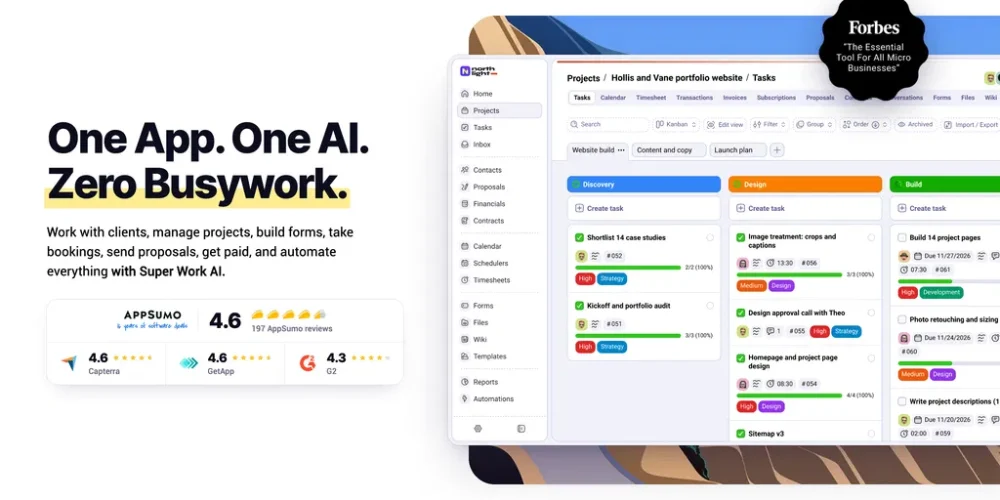
Plutio review: the strongest reason to consider this AppSumo deal is keeping the client journey connected, from an enquiry and proposal to payment and delivery. That could reduce repeated data entry for a freelancer or small service team. The entry licence is still a limited workspace, so count contributors and invited clients carefully.
My verdict is to pilot one complete client engagement before migrating your business. A collection of features is useful only when the handover between them matches how you sell and deliver work. I have not independently tested payments, automations, signatures or the AI assistant.
Check the live Plutio AppSumo offer →
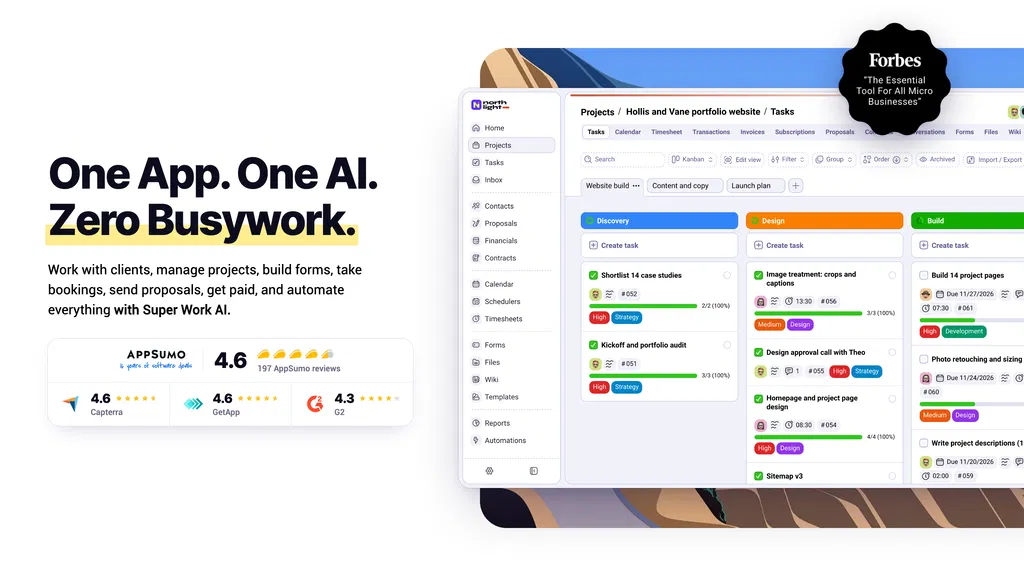
Watch the Plutio AppSumo demonstration
What is Plutio?
Plutio is a business-management workspace combining projects, proposals, contracts, invoicing, forms and scheduling. Its current positioning also includes workflow automation and an assistant called Pal. The practical attraction is keeping related records together rather than maintaining several disconnected versions of the same client information.
For a design business, the relevant sequence might be a brief, an agreed scope, a deposit, a project template and an approval. If that sequence is clear, software can reduce administration. If the scope and approval rules are unclear, putting them into one app will not automatically make the process reliable.
Plutio AppSumo code pricing
The first four code levels checked on 23 November 2026 showed these allowances. Confirm the current stacking terms and complete table before purchasing extra codes.
| Codes | Price | Contributors | Invited clients | AI credits / month | Workflow actions / month |
|---|---|---|---|---|---|
| 1 | $80.10 | 1 | 5 | 150 | 500 |
| 2 | $160.20 | 2 | 10 | 200 | 750 |
| 3 | $240.30 | 3 | 20 | 260 | 1,000 |
| 4 | $320.40 | 5 | 35 | 330 | 1,300 |
Storage rises from one hundred to two hundred and fifty gigabytes across those levels. Shared inboxes and API/MCP call limits also vary. Unlimited projects or invoices should not be read as unlimited contributors, client invitations or automation usage.
Count client access separately from team access
List the people who need to work inside the business and the clients who need portal access. A contributor editing projects has different requirements from a client viewing their own material. Confirm how your intended roles count against the licence before choosing a code level.
The official client-invitation guide describes a portal-only client role with fixed permissions and separation from other clients’ information. Test that experience with a sample client account rather than judging it only from the administrator’s view.
Check what happens at the end of a project. Your business may need to retain records while changing access for an inactive customer. Ask how archived work and past clients affect the relevant allowance. This matters more for a busy freelancer than the number of active projects alone suggests.
Proposals, payment and project creation
A useful proposal should explain the deliverable, boundaries, timeline and price clearly. Reusable templates can save time, but the person sending the document still needs to confirm the details for the actual engagement. A polished document with an incorrect scope creates a problem faster.
The official proposal workflow guide describes configurable actions after acceptance, including invoice creation, task generation and client invitation. That is a promising connection between selling and delivery, provided the conditions are configured correctly.
Use a test engagement to follow the sequence. Confirm what triggers after signature, what waits for payment and what happens when the client changes their mind. Check the generated records rather than assuming an automation ran because the preceding step looked complete.
Automation actions are a production allowance
Map the actions in one typical engagement before estimating monthly capacity. A workflow may create several records, update fields and send reminders. One new client can therefore involve more than one action. Confirm the current counting rules in your account.
Keep reminders proportionate and stop conditions explicit. An invoice reminder should not continue after payment is recorded. A project-start workflow should not create duplicate projects if an event is repeated. Test the exception as well as the successful path.
Assign someone to inspect failed or incomplete runs during the pilot. Automation removes repeated manual steps, but it also makes an incorrect rule repeatable. A small, visible workflow is easier to validate than a large chain introduced all at once.
Plutio Pal: distinguish live capabilities from the roadmap
The official Pal capability guide lists workspace search, summaries and supported record changes. It also states limits: for example, sending proposals or invoices still requires the user to click Send, and proposals are described as read-only in that guide.
Some marketing material discusses broader or upcoming capabilities. If a particular AI action is essential to your purchase, confirm it works in the current account and licence. A roadmap statement should not be the basis for promising a client an automated service today.
Start with a bounded task such as finding overdue work or summarising one project. Check the underlying records and the resulting links. An assistant can save navigation time while still requiring a person to verify the information and decide what action to take.
White label and client presentation
A branded portal can make the experience more coherent, but it is not a substitute for useful organisation. A client should be able to find the current proposal, invoice, decision and next action without learning your internal naming system.
Test the portal on a phone. Ask a colleague to find a document and complete a representative approval. Their confusion is useful evidence: the account owner knows where everything is, while a client may visit only occasionally.
Keep the public sales page consistent with the proposal. My Leadpages review covers a separate page-building option. Whatever tool generates the enquiry, the scope and price presented during onboarding should agree with what the prospect was shown.
Plutio versus Nifty
My Nifty review examines project coordination and client approvals. Plutio’s broader proposal-to-payment workflow may be more relevant if your main frustration is connecting sales administration with delivery.
Compare the exact journey your team needs. Run the same sample client through both options and count the extra tools, manual transfers and review steps. Do not assume that the app with the longest feature list will be easier for the team to adopt.
If your core business is selling a course rather than managing custom client engagements, my FlexiFunnels review covers a different combination of pages, checkout and course delivery.
A migration pilot before buying more codes
- Create one representative client and project.
- Prepare a proposal with a realistic scope and payment schedule.
- Test acceptance and the resulting records using an appropriate test setup.
- Review contributor and client permissions.
- Check reminders, exceptions and export requirements.
Retain your original business records during evaluation. Confirm what you can retrieve and how your team will maintain the workspace before treating it as the main operational record.
Is Plutio unlimited?
Some core record types are unlimited, but contributor, invited-client, storage, AI and workflow allowances remain defined.
Should I buy for future AI features?
Choose based on current capabilities that solve a present problem. Confirm any essential action directly.
My Plutio verdict
Plutio could suit a small service business that wants a connected client journey. Count access and automation requirements, pilot the complete process and buy the capacity your real engagements need.
See Plutio pricing, limits and current availability →
Sources: current AppSumo listing and deal terms and the official sources linked in this review. Prices in USD, checked 23 November 2026; verify the live checkout total.