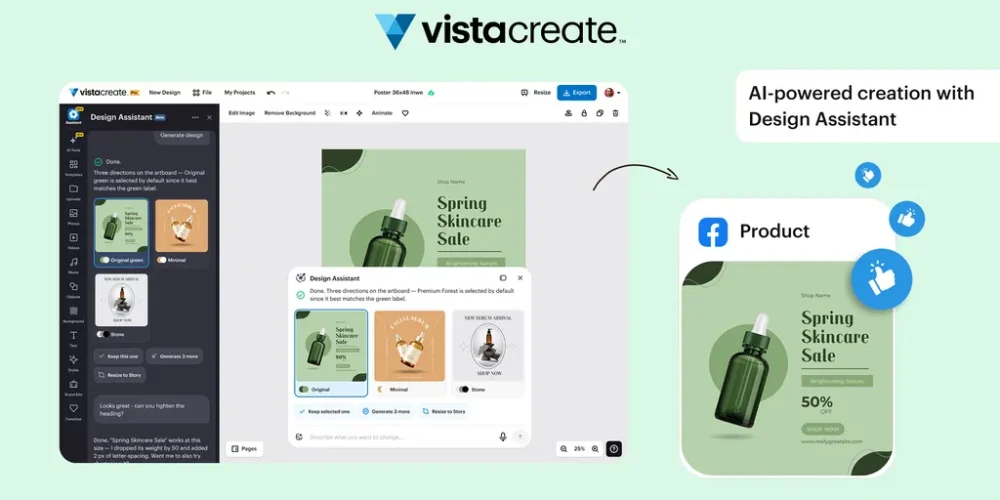
VistaCreate review: this AppSumo lifetime deal is worth considering if your business regularly needs social graphics, adverts, product visuals and simple print designs. The attraction is a shared design workspace with templates, brand assets and AI tools, rather than rebuilding every graphic from scratch.
My verdict is to shortlist it for a small team producing repeatable marketing material. Test it with the designs you actually make, especially if you already have a library in another editor. The value comes from how quickly your team can create an accurate, consistent finished asset, not from the total number of templates advertised.
Check the live VistaCreate AppSumo offer →
Watch the VistaCreate AppSumo demonstration
What is VistaCreate?
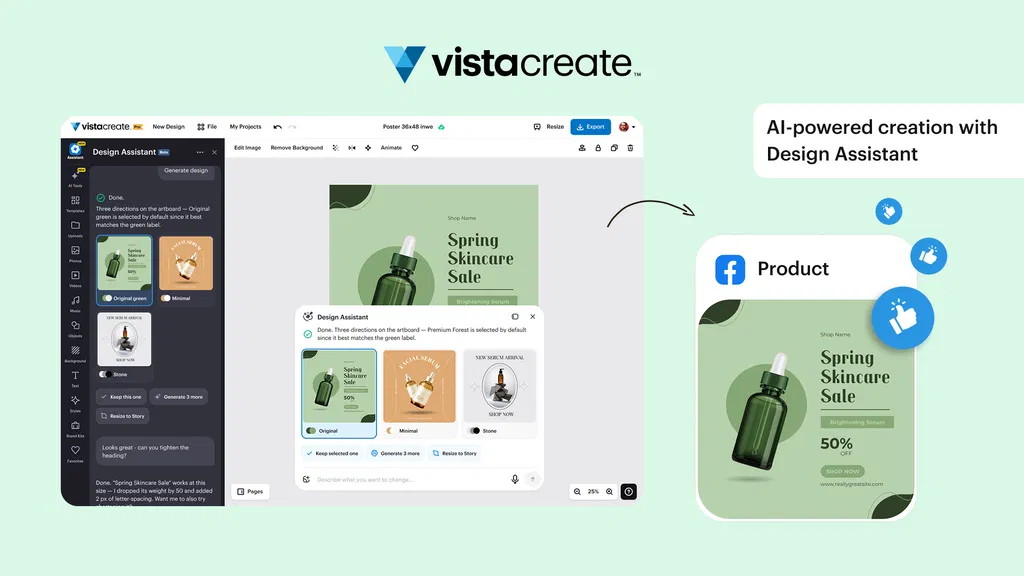
VistaCreate is a visual design platform for digital and print marketing. The current product presentation combines templates and stock media with brand kits, resizing, image editing and AI-assisted design. It is aimed at everyday business production rather than a specialist production workflow requiring complete control over every technical detail.
A local business could use one approved campaign look across a social post, an offer graphic and a printed flyer. An agency might maintain different brand kits for clients. In both cases, the useful outcome is reducing repeated setup while keeping the message and appearance coherent.
VistaCreate AppSumo deal and eligibility
The single lifetime plan showed $98.10 on 23 November 2026. The listing includes ten account seats, over two hundred thousand templates, a large stock library, brand kits, unlimited project storage, resizing and version history.
The terms name future Pro Plan updates, require code redemption within sixty days and say the deal is not stackable. New and existing VistaCreate users are eligible according to the current listing. Check how redemption applies to your existing account before purchasing a second licence you may not need.
The displayed refund period is up to sixty days. Prices and availability can change, so confirm the live basket total and current terms. Do not assume that ordering printed products, buying a domain or using an outside service is included in the software licence.
AI image generation has a shared allowance
The official AI Image Generator guide says Pro includes up to one hundred image generations per month, shared across the account or team. That is separate from the unlimited project-storage claim.
A team of several people should agree how that shared capacity is used. Gather the brief before generating many variations, and keep successful prompts with approved designs. Repeatedly producing new images because the offer itself is unclear is an inefficient use of any allowance.
Inspect generated visuals carefully. Check product shape, labels, hands, small details and whether the image suggests something the real business does not provide. A convincing illustration can still be unsuitable for an advert if it creates a false expectation about the product.
Brand kits are useful when the rules are clear
Start with approved logos, colours and fonts. Then create a small set of layouts that cover your regular needs: an offer, an educational tip, a testimonial using genuine approved wording and an announcement. A manageable library is easier for a team to use consistently than hundreds of loosely named variants.
Define the parts that should change. A team member may need to replace a headline and image while keeping the logo position and contact details consistent. Write those rules down so the brand kit supports a real process rather than becoming another folder of assets.
The official plan comparison describes the difference between Starter and Pro, including team and premium-design features. Use your actual workload to decide whether the paid licence adds enough beyond a free account.
Templates need content decisions
Choose a template that fits the amount and type of information you need to communicate. A layout designed for a short sale announcement may not work for a detailed event schedule. Shrinking the font until every word fits usually creates a weaker result than simplifying the message.
Give each design a clear reading order. The viewer should understand the main point, the relevant detail and the next action without searching. A strong image cannot compensate for a missing date, unclear offer or unreadable booking instruction.
Replace placeholder proof with genuine material. Do not leave invented customer names, testimonials or numerical claims in a finished template. Before approval, check all contact details and links against the current campaign brief.
Resizing: review every version
A one-click resize can save setup work, but the new format changes the available space. A landscape graphic may need a different crop and shorter headline when turned into a vertical story. Check that the visual focal point and the action remain visible.
Preview on the device and surface where the design will appear. For mobile social content, small secondary text can become unreadable. For an advert, the platform may place interface elements over part of the image. Keep essential information in a reliable position and review the actual export.
For video companion graphics, use a consistent visual link between the thumbnail, cover and clip. My Jupitrr AI review covers a talking-head editing workflow where supporting visuals and captions need similar care.
Product photos and background editing
Background removal and replacement are useful when you need a cleaner product presentation. Inspect edges, transparent areas, reflections and shadows. The result should still represent the real item accurately, particularly when colour or packaging affects the purchase decision.
Keep an untouched original and label the edited version clearly. If a customer or client queries a detail, you should be able to trace what changed. Avoid applying an attractive generated scene that implies an accessory, scale or finish the actual product does not have.
If you need additional licensed imagery, my Depositphotos review explains a separate stock-media purchase. Choose assets that support the offer and check the relevant usage terms instead of relying on a search result alone.
Design feedback and version history
An automated design score can point out issues, but it cannot approve the business message for you. A neatly aligned design may still have the wrong price or an ambiguous offer. Use suggestions to review presentation, then have the person responsible for the campaign approve the content.
Version history is helpful when a later experiment weakens an approved design. Keep naming and approval conventions simple: identify the campaign, format, date and status. My Nifty review looks at keeping client approvals and delivery tasks connected if several people are involved.
Print ordering is a separate decision
The listing describes sending designs to VistaPrint. Before ordering physical materials, check dimensions, safe areas, bleed, image quality and the final proof. Review the order’s separate price, quantity and delivery details. A design licence does not mean printed products are included.
Read small text at the intended print size. A flyer that looks good when enlarged on a monitor can fail when the address or booking instruction is tiny. A physical sample can be useful before committing to a larger campaign order.
VistaCreate versus Canva: use a real brief
Recreate one representative campaign in both your current editor and VistaCreate. Include the initial design, a resized version, a team revision and the final export. Compare the complete process, including finding the right assets and retrieving an earlier version.
Also consider your existing editable library. Switching tools may mean rebuilding designs rather than simply opening them. Verify import and export requirements with your actual files before assuming a new licence removes all future design costs.
Is AI image generation unlimited?
No. The official Pro guide specifies a monthly allowance shared across the account or team.
Who should consider buying?
A small business or team producing regular marketing graphics with a clear brand and review process. Specialist production needs should be tested directly.
My VistaCreate verdict
The deal could be useful for consistent, everyday design production. Test the editor with a real campaign, confirm your account eligibility and review the shared AI allowance. Buy for the finished assets your team will make and use.
See VistaCreate pricing, limits and current availability →
Sources: current AppSumo listing and deal terms and the official sources linked in this review. Prices in USD, checked 23 November 2026; verify the live checkout total.