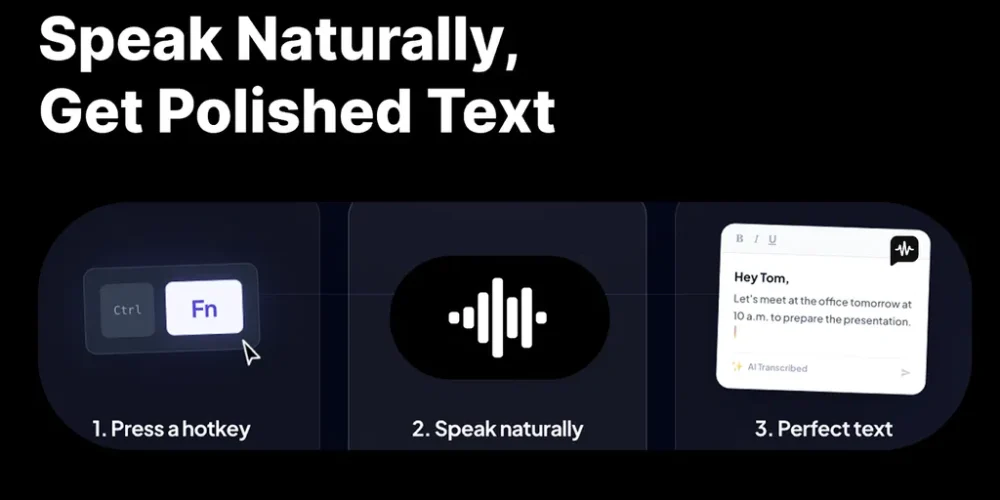
Blip AI is a voice-writing tool for turning speech into formatted text where you already type. Its appeal is straightforward: press a hotkey, say what you mean and review the result inside your email, notes or editor. The latest AppSumo listing also includes local dictation, meeting notes and voice commands for rewriting selected text.
My verdict: Blip AI is worth testing if speaking helps you draft faster, particularly across several devices. The buying decision should depend on correction time, compatibility and the distinction between cloud allowances and unlimited on-device words. Do not choose a higher tier just because its monthly number looks impressive.
Check the live Blip AI AppSumo offer →
Watch the Blip AI AppSumo demonstration
What does Blip AI do?
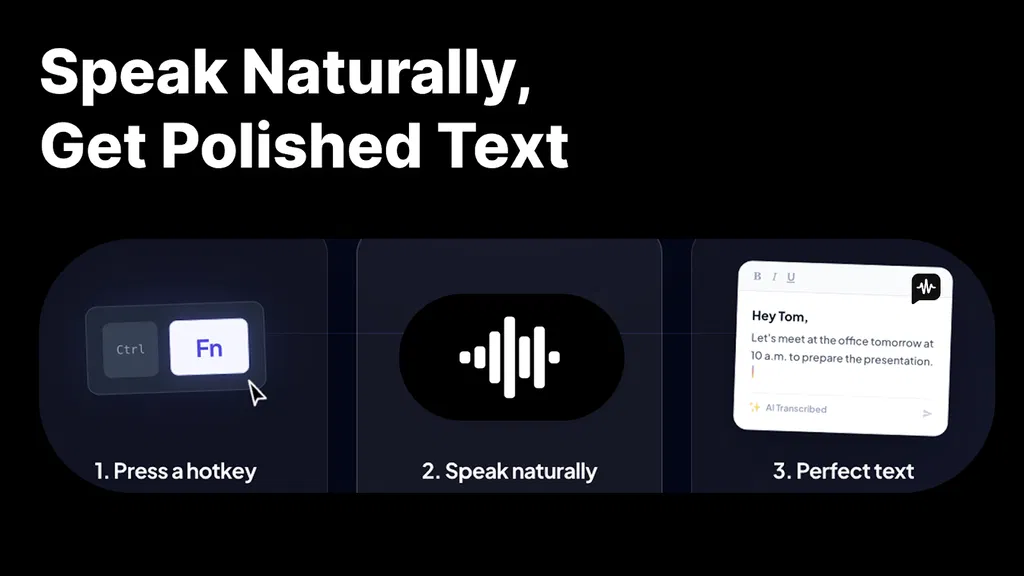
The core workflow starts with a global hotkey. Blip transcribes speech, removes filler words and formats the result before inserting it at your active cursor. Custom vocabulary supports names and specialist terms. Shortcut phrases can expand into saved text or a link, which may help with repeated replies.
The listing also describes a voice-command mode: select existing text and ask for a shorter version, a translation or a different structure. That is useful when the first draft is already written. A scratch pad offers another place to capture thoughts before placing the polished version elsewhere.
Blip AI AppSumo pricing and usage limits
I checked the four cloud-word options on 23 November 2026. The table below records the displayed discounted US dollar prices and their corresponding limits. Final taxes and promotion changes may affect checkout.
| Cloud words/month | Price | Devices | Team-member allowance | Notetaker sessions/month |
|---|---|---|---|---|
| 250,000 | $62.10 | 2 | 0 | 10 |
| 650,000 | $134.10 | 6 | 0 | 50 |
| 1,400,000 | $233.10 | 16 | 8 | 150 |
| 3,200,000 | $413.10 | Unlimited | 16 | 450 |
All four displayed options include unlimited on-device words, API access, AI polishing, personal vocabulary, custom prompts, shortcuts and transcript sync. The zero team-member figures in the first two options are the listing’s labels; confirm how the purchaser account is treated before using that row to calculate staffing.
Device counts are not interchangeable with team seats. Ask how devices are assigned, removed and counted across desktop and mobile. Also confirm how word allowances and meeting sessions are shared. The listing showed a 60-day refund window, so structure your evaluation around the current redemption and refund terms.
Cloud dictation and local models are different choices
The founder’s current listing update says local dictation models are unlimited, alongside default cloud models with tier limits. That is a meaningful distinction for heavy usage, but local processing still has hardware and configuration requirements. Test the exact model and device rather than assuming the cloud and local experiences are identical.
Privacy also needs a workflow-level check. On-device transcription, AI rewriting, transcript sync and external AI access can involve different processing stages. Before dictating private client material, inspect the settings and confirm what is stored or transmitted by each feature you enable. A local transcription option does not establish that every later action stays local.
For a fair comparison, dictate the same passage using each route. Measure recognition, punctuation, response delay and battery use. Keep an eye on whether automatic polishing changes numbers or commitments. A slightly slower result can still be better if it preserves your meaning and needs fewer corrections.
Meeting notes: useful, but test separately
The listing’s founder update describes meeting recordings and playback for meetings up to four hours. The plan options separately limit monthly Notetaker sessions. A per-meeting duration ceiling and a monthly session allowance are separate constraints, so ask what counts as a session and how interrupted recordings are treated.
Try a short, authorised internal meeting before relying on it for an important call. Check speaker handling, names, decisions, action owners and playback navigation. Review the notes against the recording. A fluent summary can omit an important qualification or assign an action to the wrong person.
The update also mentions MCP access to meeting context for compatible AI tools. Treat that as an additional sharing route to configure deliberately. Choose which notes another application may access and remove test connections you no longer need.
A realistic first-week test
Start with ten messages you would normally type. Include a customer reply, a task description and a longer paragraph with names and dates. Record the time from pressing the hotkey to approving the finished text. Speaking speed alone is not the useful metric if you spend another minute restoring details afterwards.
Add vocabulary for the words Blip repeatedly gets wrong, then repeat the same test. Try your normal microphone in a quiet room and your usual working environment. Test text insertion in the actual applications you use, including a browser editor and any desktop software essential to your work.
Next compare straightforward dictation with voice-driven rewriting. Ask for shorter wording while preserving a deliberately important condition. If the condition disappears, adjust the prompt and keep reviewing. Only move a repeated response into a shortcut after checking that its wording will remain appropriate in different customer situations.
Blip AI versus Amical and Triplo AI
My Amical review is the closest comparison for dictation, local processing and cloud word allowances. Test both with the same passages, devices and correction-time method. The best choice is the one that reliably fits your input habits, not the one with the larger theoretical allowance.
The Triplo AI review covers a wider prompt and model workflow across applications. That may suit people whose main problem is repeatedly applying AI instructions to existing text. Blip’s voice-first approach may be more direct if speaking is the main improvement you want.
For organising approved notes into a knowledge base, see my Buildin review. For publishing the resulting social content, compare the RobinReach review. Neither replaces checking the accuracy of what you originally dictated.
Frequently asked questions
Is Blip AI unlimited?
On-device words are listed as unlimited. Cloud words and Notetaker sessions have monthly limits determined by the purchased option. Confirm current usage accounting before relying on those allowances.
Can it replace typing completely?
That is unlikely to be the right goal for everyone. Shared spaces, precise edits and complicated technical input may still favour a keyboard. Evaluate the jobs where speech produces a clear practical improvement.
Who should buy Blip AI?
Someone who frequently drafts through speech, can review the output and has confirmed compatibility on their devices. Start with the smallest option that fits measured cloud usage and meeting needs. A reliable daily habit is a stronger reason to buy than a feature you might use someday.
See Blip AI pricing, limits and current availability →
Sources: current AppSumo listing and deal terms and the official sources linked in this review. Prices in USD, checked 23 November 2026; verify the live checkout total.