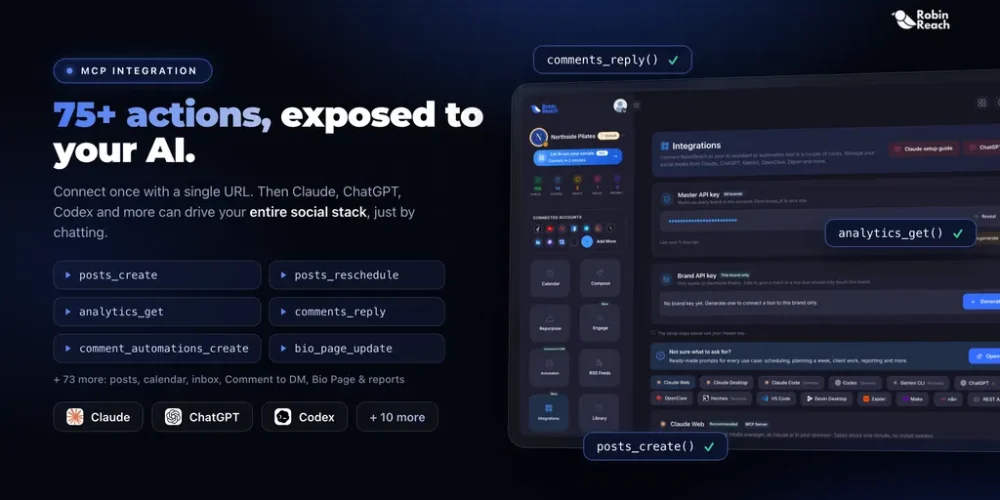
RobinReach review: this AppSumo deal is aimed at managing social content, conversations and reporting across several accounts. Its newer AI-assistant connections make the workflow interesting, but the best tier still depends on brands, profiles, team members and the features you actually use.
My verdict is to shortlist it for a repeatable publishing process with a clear review stage. Test a small set of accounts before connecting the whole business. I have not independently tested publishing reliability, analytics accuracy or the MCP integration.
Check the live RobinReach AppSumo offer →
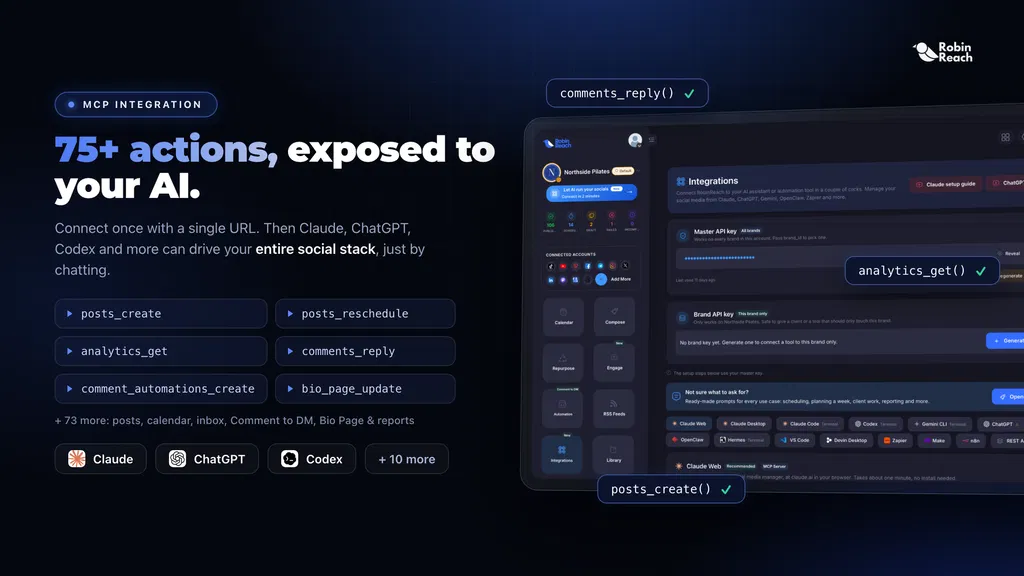
Watch the RobinReach AppSumo demonstration
What is RobinReach?
RobinReach is a social-media management platform with scheduling, content tools and an engagement inbox. Its current listing describes support across thirteen platforms and assistant-controlled actions. Different networks have different supported post types and requirements, so verify the exact account and format you need.
A useful workflow might take one approved idea, adapt it for several networks, schedule the versions and review responses. The tool should reduce repeated administration without making every account publish the same unsuitable caption and crop.
RobinReach AppSumo pricing
The first four tiers checked on 23 November 2026 showed these limits.
| Tier | Price | Brands | Members | Social profiles | AI images / month |
|---|---|---|---|---|---|
| 1 | $71.10 | 2 | 1 | 5 | 20 |
| 2 | $161.10 | 5 | 5 | 15 | 50 |
| 3 | $341.10 | 15 | 15 | 40 | 100 |
| 4 | $656.10 | Unlimited | Unlimited | 200 | 500 |
The visible X-account allowance is none on Tier 1, then one, three and ten. Repurposing tasks are one, three, ten and unlimited per month. Media storage and reporting also vary. Unlimited brands on a higher tier does not remove its profile or media limits.
Count every connected destination. One business with Facebook, Instagram, LinkedIn and YouTube already uses several profiles. An agency should map clients and destinations before choosing capacity.
One idea needs different versions
Begin with a clear content purpose: explain a useful point, answer a question, show evidence or introduce an offer. Then adapt it to the network and audience. A long professional explanation, a short vertical clip and a local business update should not be treated as identical posts.
Review the final caption, media and link for each destination. Check line breaks, mentions, crop and the visible next action. Automatic formatting can save time while still needing an editorial decision about what belongs on that account.
For visual production, my VistaCreate review examines a design tool with team and AI allowances. For talking-head clips, my Jupitrr AI review covers a separate editing workflow.
AI and MCP: check access and scope
The official MCP page describes actions across posts, media, analytics and account information. It also describes plan-dependent access. Confirm the AppSumo tier’s entitlement before purchasing primarily for an assistant connection.
Choose the brand and profiles deliberately. For client work, keep each account’s tone, time zone and approval requirements clear. A successful connection should be followed by a small read-only check and a draft workflow before any production publishing.
The official AI connection guide explains the setup and requirements. Use current instructions for your assistant and keep control over which workspace it can reach. This review does not independently verify those integrations.
Build the review stage before automation
A content calendar needs an owner and a definition of ready. The approved item should include the exact media, wording, destination and time. A draft that is waiting for a client decision should not be confused with one that is ready to publish.
Check how approval works in the licence you buy. General website demonstrations may show capabilities associated with a different direct-subscription plan. Test the actual reviewer experience, including what happens when someone rejects a post or requests a revision.
For a wider delivery process, my Agency Handy review covers client orders, files and approvals. Decide which system holds the final decision so the team is not maintaining conflicting approval records.
Comment-to-DM needs a clear promise
An automated private reply can be useful when someone explicitly asks for a resource mentioned in a post. Keep the trigger and response aligned. If the post promises a checklist, the first message should make that checklist easy to receive.
Test common variations of the trigger and repeated comments. Check whether the right person receives the right message and whether someone on the team can take over when the conversation becomes more specific. Avoid creating a sequence that keeps repeating a promotional response to every interaction.
Measure whether the automation helps people complete the intended action. Comment volume alone does not tell you whether the resulting conversations are relevant or useful.
The inbox is an operating responsibility
A unified inbox can reduce switching between apps, but someone still needs to own the responses. Define who checks new items, what needs escalation and how unresolved conversations are handed over.
Test the channels you actually use. A tool may support publishing to a network without supporting every type of private message or comment on that network. Read the supported scope rather than treating a platform logo as a promise of complete functionality.
If your main need is AI-led sales conversations rather than social scheduling, my DM Champ review examines a different messaging workflow and its usage costs.
Analytics should answer a business question
Choose a small set of outcomes before reviewing reports. Useful measures may include relevant site visits, enquiries or engagement with a specific educational series. Comparing raw likes across different networks can obscure the reason the content was published.
Keep campaign links and naming consistent. A report is easier to interpret when the team can connect the post to the offer and the next action. Review the actual published URL and destination rather than assuming every scheduled item completed successfully.
Use historical performance as evidence to investigate, not a rule that every future post must follow. A high-performing topic may have benefited from timing or an unusual audience event.
A practical RobinReach pilot
- Connect a small set of representative profiles.
- Create one approved idea and adapt it per network.
- Test draft review, scheduling and time zones.
- Check the published result and any failed status.
- Review inbox routing and the resulting report.
Compare the complete process with your current scheduler. Include corrections, reauthorisation and team handovers, not just the speed of placing content on a calendar.
Is Tier 1 suitable for X?
The checked table lists no X account on Tier 1. Verify the live plan before buying for that destination.
Are all AI tools unlimited?
No. Images, repurposing and text allowances vary by tier.
My RobinReach verdict
RobinReach could suit a small team or agency that wants connected planning, publishing and engagement. Map profiles and review requirements, verify the integration access and test a complete publishing cycle before expanding.
See RobinReach pricing, limits and current availability →
Sources: current AppSumo listing and deal terms and the official sources linked in this review. Prices in USD, checked 23 November 2026; verify the live checkout total.