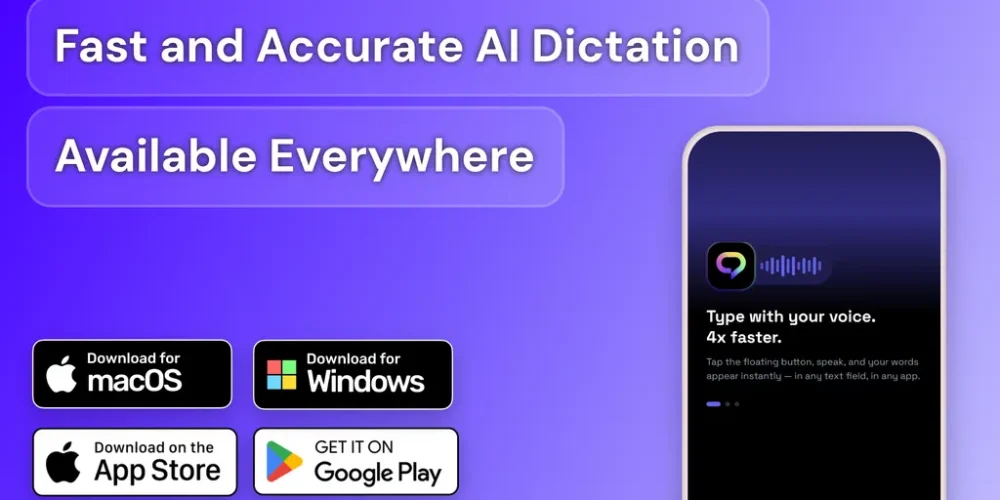
Amical is interesting if your best ideas arrive faster than your fingers can type. It turns spoken input into text inside the applications you already use, with optional formatting that changes according to the destination. That makes this a dictation purchase rather than a promise that AI will run your whole working day.
My verdict: shortlist Amical if you write frequent emails, notes and first drafts, especially if local processing matters to you. Start with the free version and your actual hardware before buying cloud capacity. A lifetime deal only becomes good value when the app reliably handles your accent, vocabulary and everyday text fields.
Check the live Amical AppSumo offer →
Watch the Amical AppSumo demonstration
What does Amical actually do?
The AppSumo listing describes cross-platform dictation for Mac, Windows, iPhone and Android. You trigger speech input, speak naturally and place the result into a text field. Context-aware formatting can make a chat reply brief or an email more structured. Custom vocabulary helps with names, industry terminology and unusual product spellings.
This is useful for reducing the friction between thinking and drafting. Imagine speaking a rough client update while reviewing a project, then checking the resulting email before sending. You still own the message. A correctly recognised sentence can contain an incorrect date, an accidental commitment or a tone you would never choose in writing.
Amical AppSumo pricing and lifetime limits
The Black Friday listing checked on 23 November 2026 displayed these discounted US dollar prices. Taxes, promotions and final checkout totals can change. Check the live offer before buying.
| Plan | Displayed price | Team members | Cloud words per month |
|---|---|---|---|
| Tier 1 | $53.10 | 1 | 200,000 |
| Tier 2 | $125.10 | 3 | 600,000 |
| Tier 3 | $233.10 | 7 | 1,400,000 |
| Tier 4 | $413.10 | 15 | 3,000,000 |
The plan table includes unlimited local-model words, devices and connectors, alongside custom vocabulary, AI formatting, command mode and mobile apps. Unlimited local words and a monthly cloud allowance are different benefits. Local processing still depends on your device, storage, installed models and the features supported on that platform.
The listing showed a 60-day refund window. Confirm redemption and upgrade terms as well. For a team, ask how cloud usage is shared, whether an administrator can monitor it and what happens when someone leaves. Buying seven seats does not automatically establish the right device permissions or vocabulary policy.
Local versus cloud: the decision that matters
Local transcription is the strongest reason to evaluate Amical carefully. The listing supports running Whisper models on your own device, while cloud models provide another processing route. The vendor also describes bringing your own provider keys. Those routes should be evaluated separately rather than assuming every feature always stays on the device.
For example, you might transcribe locally but enable a cloud formatting model afterwards. Before using confidential client information, check the settings for each processing stage and the provider involved. Open-source availability makes inspection possible; it does not mean every user has audited the application or that every configuration has identical privacy properties.
Run the same short passage locally and through the included cloud option. Compare delay, battery use, punctuation and correction time. A slightly slower local result may be preferable for private notes. A cloud result may fit quick messages better. The right choice depends on your workflow, rather than a single advertised speed figure.
A practical seven-day dictation test
On day one, use a quiet room and dictate ten ordinary messages. Include the names and abbreviations you normally type. Record how many corrections each message needs. On day two, add a custom vocabulary and repeat the difficult terms. That tells you whether the feature solves your actual transcription problems.
Next, test the destinations that matter: your email composer, browser-based CRM, document editor and messaging app. Check cursor placement and whether the app inserts text where expected. Try a noisy room and your usual headset. Platform support is a starting point; compatibility with your particular application and keyboard setup is the real buying test.
Finally, measure the whole job from starting dictation to approving the finished text. Do not compare speaking speed with typing speed while ignoring correction time. Keep examples of formatting that changes your intended meaning. If you constantly restore words the AI removes, a simpler transcription setting may produce a better result.
Where Amical fits in a content workflow
I would use dictation to capture an outline, personal examples and objections before polishing a review. It should preserve your knowledge, not invent product experience. If you need a workspace for organising those notes, see my Nifty review. Project organisation and speech input solve different parts of the writing process.
For turning approved ideas into LinkedIn material, my Supergrow review covers a more focused publishing workflow. If the starting material is an existing recording rather than fresh dictation, the reap review is more relevant to extracting video clips.
Limitations worth checking before checkout
Dictation is less comfortable in shared offices, on calls and anywhere speaking aloud exposes information. Strong recognition also cannot solve unclear thinking. You may still prefer typing for precise spreadsheet formulas, complicated addresses or carefully negotiated wording. Test those cases instead of assuming one input method should replace your keyboard entirely.
Mobile and desktop experiences can differ. Check the current release notes, supported operating-system versions and permissions on each device you intend to use. Roadmap announcements are useful context but should not carry the purchase decision. Buy for features available and working in your own test today.
Amical alternatives and who should buy
Compare Amical with built-in operating-system dictation before paying. If basic voice input already meets your needs, the incremental value must come from vocabulary, formatting, model choice or team capacity. A dedicated meeting recorder is a separate comparison when you need speaker identification, meeting summaries and a searchable recording archive.
Amical suits people who repeatedly translate spoken thoughts into written work and can review the output responsibly. It is less compelling for occasional voice input or teams that cannot use microphones comfortably. The lowest suitable tier is the sensible starting point once a real test demonstrates consistent value.
For another voice-first option, read my Blip AI review. Compare the same dictated passages, device requirements, local-model settings and cloud allowances in both tools; include correction time rather than judging only the advertised recognition speed.
Frequently asked questions
Is Amical unlimited?
The listing distinguishes unlimited local-model words from capped monthly cloud words. Your tier determines the cloud allowance and team size. Check the current table for the precise entitlement.
Can Amical work offline?
Local-model processing can support an offline workflow after the necessary setup. Verify your chosen model, platform and formatting settings rather than assuming all cloud-assisted features work without a connection.
Should I buy it for the speed claim?
Buy it if your own end-to-end test saves time while maintaining accuracy. Advertised recognition speed does not measure the time you spend correcting or approving a finished message.
See Amical pricing, limits and current availability →
Sources: current AppSumo listing and deal terms and the official sources linked in this review. Prices in USD, checked 23 November 2026; verify the live checkout total.