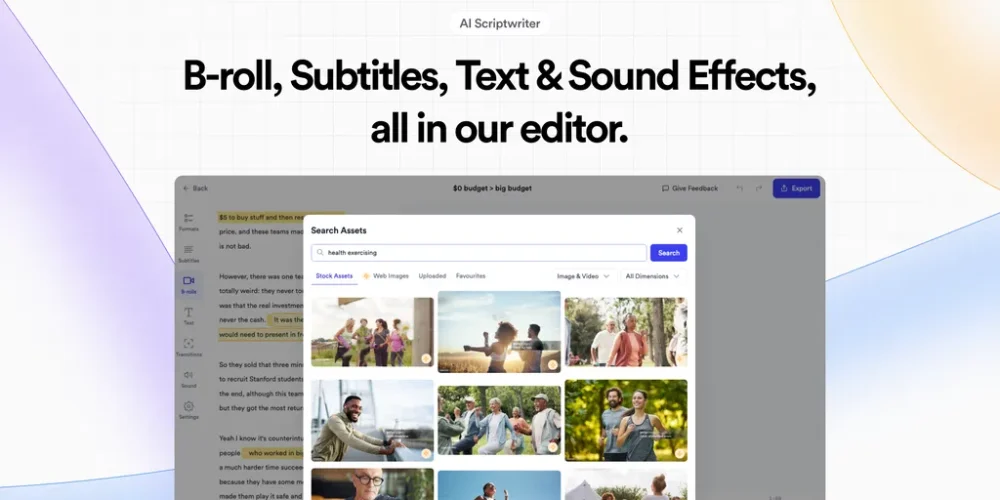
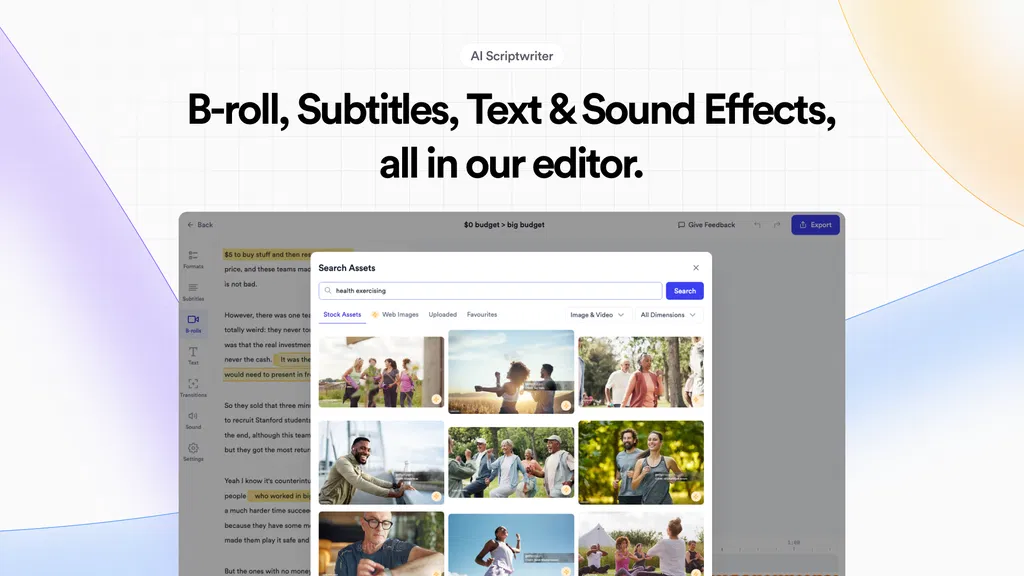
Jupitrr AI review: the current AppSumo deal is most relevant to coaches, consultants and creators recording talking-head videos. It aims to assemble a first edit with supporting visuals, subtitles and a hook, then let you refine the result. The entry-plan limits are important enough to check before anything else.
My verdict is to consider it for a repeatable short-video format when editing is slowing publication. Buy for the number and length of videos you genuinely produce. I have not independently tested the editor, the quality of its asset choices or its effect on audience engagement.
Check the live Jupitrr AI AppSumo offer →
Watch the Jupitrr AI AppSumo demonstration
What is Jupitrr AI?
Jupitrr AI is a talking-head video editor with automatic editing and a chat-based assistant called Levio. The proposed workflow starts with your recording, adds an initial edit and gives you controls to change the presentation. It is more relevant to polishing a recorded explanation than producing a complex film from scratch.
A useful example is a consultant answering one common client question. The original recording contains the expertise; the edit should help viewers follow it. Supporting footage and captions can make the point clearer, but they should not overwhelm the explanation or imply evidence the speaker has not provided.
Jupitrr AI AppSumo pricing and monthly capacity
The first four tiers displayed these allowances on 23 November 2026. Confirm the live offer before checkout.
| Tier | Price | Uploads / month | Exports / month | Maximum duration | Maximum file |
|---|---|---|---|---|---|
| 1 | $53.10 | 3 | 3 | 2 minutes | 100 MB |
| 2 | $152.10 | 10 | 10 | 20 minutes | 3 GB |
| 3 | $224.10 | 20 | 20 | 30 minutes | 5 GB |
| 4 | $422.10 | 30 | 30 | 30 minutes | 5 GB |
Seats are one, one, two and five respectively. The caption-language allowance also differs: ten major languages on the first two tiers and over one hundred on the next two. Do not assume a lower tier includes every capability highlighted elsewhere on the website.
Three monthly exports will not support a daily publishing schedule. Even a weekly video can exceed that allowance in a month with five publishing dates. Count your planned outputs, alternative versions and client workload before deciding that the lowest purchase price is sufficient.
The automatic first edit is a draft
A first cut can remove the friction of starting with an empty timeline. It still needs review against the message. Watch whether the opening hook accurately represents the explanation and whether visual changes arrive at useful moments rather than interrupting the sentence.
For a product demonstration, the viewer may need to see the interface while you explain a step. Replacing that moment with unrelated stock footage can make the video less useful. Keep the evidence on screen when it matters, and use supporting visuals for concepts that benefit from illustration.
I would test a recording containing both a simple point and a more technical section. The simple section shows how quickly you can get a usable first cut; the technical section reveals whether the editor needs substantial correction. Record the time spent on both.
Levio: ask for a specific change
The official Levio guide describes working on an existing automatic edit, requesting a change and reviewing a draft before keeping or undoing it. Its examples include B-roll, subtitle styling, hook changes, music volume and logo placement.
The same guide distinguishes chat-supported changes from work done through normal editor controls. Do not assume every timeline operation can be completed through a prompt. Check the current guide for the exact action you need, since the supported scope can change.
Use an instruction such as “replace the supporting clip during the pricing explanation with a relevant office scene” rather than “make it better.” Then inspect the affected moment and the transition into the next one. One clear change at a time is easier to approve than a broad request that alters several things at once.
B-roll relevance and usage rights
Supporting footage should clarify the spoken point. If the video discusses a difficult client handover, a visual of a shared task or missing approval may be more informative than generic people celebrating. Choose imagery for meaning rather than filling every second with movement.
Keep a distinction between the licensed stock options and images found on the open web. A picture being available in a search interface does not establish that it is appropriate for your commercial use. Check the relevant asset terms, particularly for paid advertisements and client campaigns.
My Depositphotos review explains a separate stock-media offer and its licensing considerations. Retain the source information for externally supplied assets so a future edit or client handover does not become a search for where each image came from.
Not every website format belongs to the AppSumo plan
The official Grid & Cut out guide explicitly says that format is not available on AppSumo plans. This is a useful reminder to verify plan eligibility for a feature demonstrated on a general marketing page.
Write a short must-have list before buying: the format, duration, number of exports, branding needs and caption language. Check each against the actual deal. A future feature announcement or a direct-subscription demonstration should not be treated as a promise about your licence.
Recording quality still matters
Clear source audio makes both editing and transcription easier to assess. Record a clean explanation with a deliberate beginning and ending. Leave enough space around the frame for the crop you intend to use, and avoid placing essential information at the edge.
For repeated videos, use a consistent recording setup and a short script structure. State the question, give the useful answer, provide an example and explain the next step. The less time spent repairing the recording, the more useful an automatic editing workflow becomes.
Review subtitles for product names, prices, numbers and negative statements. Listen to the final sound mix on a phone as well as headphones. Music that feels quiet while editing can still distract from a soft-spoken explanation.
Jupitrr AI versus reap and Mootion
My reap review covers a broader recording and repurposing workflow with source-hour allowances and assistant integrations. Compare both using the same video and the actual number of finished outputs you need.
My Mootion review examines generating visual stories from prompts and reference material. That is a different starting point. If you already have a strong talking-head recording, a focused editor may be more relevant than generating a new story around it.
Include your existing editor as the baseline. Measure the time from raw recording to an approved export, including corrections. That is more useful than timing only the automatic first cut.
Frequently asked questions
Is the entry tier suitable for daily content?
Its listed three monthly uploads and exports make it a tight fit. Choose capacity based on your publishing plan.
Does Levio replace all editing controls?
No. The official guide describes a defined set of supported changes alongside the normal editor.
Does unlimited stock mean unlimited video exports?
No. Asset access and monthly exports are separate allowances. Check each line of the plan table.
My Jupitrr AI verdict
Jupitrr AI is worth testing for a consistent talking-head format where you want help with the first cut and presentation changes. The best tier depends on output volume, length and the features you actually need. Approve a representative finished video before reorganising your publishing process around it.
See Jupitrr AI pricing, limits and current availability →
Sources: current AppSumo listing and deal terms and the official sources linked in this review. Prices in USD, checked 23 November 2026; verify the live checkout total.