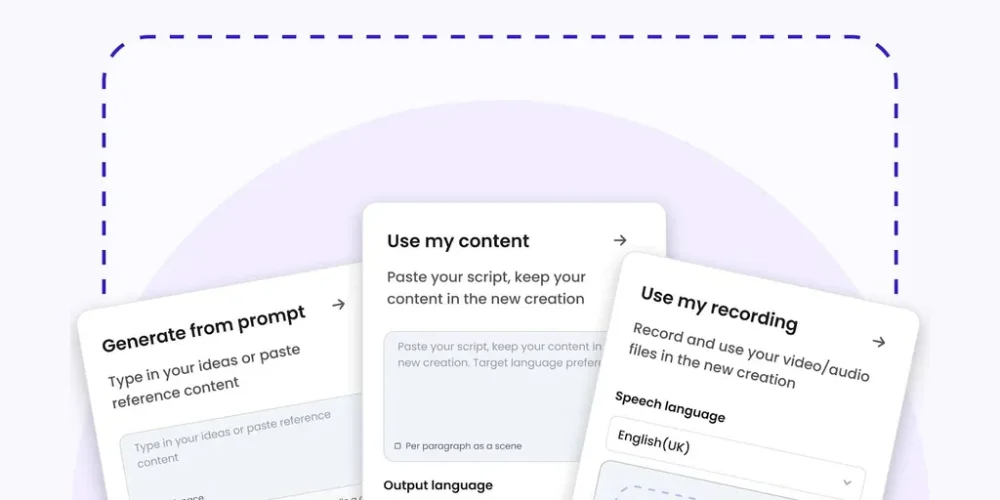
Mootion review: this AppSumo deal is for creating videos from ideas and reference material, rather than simply cutting an existing recording. Its appeal is a guided route from a brief to scenes and a finished video. The main buying questions are control, consistency and how quickly credits disappear during revisions.
My verdict is to test it with a short, repeatable format before buying a large tier. A recurring educational story or an illustrated explanation is a better trial than an ambitious ten-minute production. I have not independently tested its generation models or measured the quality of the output.
Check the live Mootion AppSumo offer →
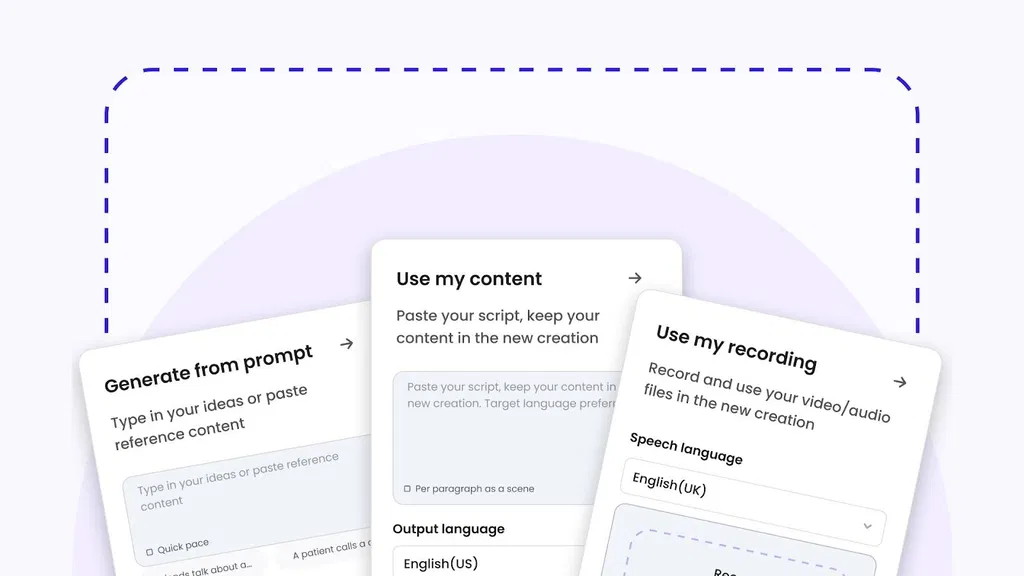
Watch the Mootion AppSumo demonstration
What is Mootion?
Mootion is an AI video-generation platform accepting material such as prompts, scripts, images and audio. Its current presentation distinguishes a faster Instant Mode from a storyboard-led Director Mode. The latter is the more relevant route when a sequence needs deliberate characters and scene control.
Think about what the viewer needs to understand. A short explainer might introduce a problem, show the consequence and demonstrate a better approach. Planning those beats first makes it easier to assess whether the generated visuals support the message. Attractive scenes alone do not make a clear story.
Mootion AppSumo pricing and credits
The lifetime tiers checked on 23 November 2026 showed the following monthly credits and maximum scene counts.
| Tier | Price | Credits / month | Scenes / project |
|---|---|---|---|
| 1 | $71.10 | 1,750 | 16 |
| 2 | $125.10 | 3,500 | 32 |
| 3 | $269.10 | 8,000 | 48 |
| 4 | $629.10 | 16,000 | 64 |
| 5 | $1,349.10 | 40,000 | 100 |
Storage and prompt-length allowances also vary. The listing shows a sixty-day refund window for the licence and separately labels optional one-time credit packs as non-refundable. Check which items are in your basket before purchasing.
Do not translate a credit balance directly into a fixed number of finished videos. The selected generation model, shot length and revisions affect consumption. Plan for the work needed to reach an acceptable result, rather than assuming every first generation becomes a final scene.
Why the storyboard matters
Write the story in plain sentences before generating visuals. Each scene should have one job: establish the situation, reveal a problem, explain a decision or show a result. If two scenes make the same point, removing one may improve both clarity and production cost.
For an educational example about customer service, the first scene could show an unanswered enquiry, the second the resulting confusion and the third a clear handover. You do not need elaborate action to explain that sequence. Simple, coherent visuals can work better than many unrelated cinematic shots.
Read the narration aloud and estimate the pacing. A dense paragraph may look short on a page but need more screen time than you expect. Cut the script before spending credits trying to make a visual sequence fit an overlong voiceover.
Character consistency: useful controls, still verify the result
The official Character Library tutorial describes saving and reusing characters across projects in Director Mode. It also describes adding multiple saved characters to one story. This is a relevant capability for recurring educational content or a short series.
A reusable character is not proof that every generated shot will preserve every detail. Review face, clothing, proportions and important props across adjacent scenes. Look especially closely at transitions and interactions, where a change is easier to notice than in an isolated image.
Create a short reference sheet for recurring productions. Record the character description, colours, voice choice and visual rules that matter. Keep the original references with the project so the next episode can start from the approved direction rather than a vague memory of the last one.
Budget for generation and revision
Mootion’s official workflow guide displays different per-second credit rates for different video models. This is why two clips with the same duration can have very different production costs. Confirm the rate displayed in the live generator before starting a batch.
As a planning method, allocate part of your monthly balance to experimentation and part to approved production. Track the credits spent on a scene that is actually usable. A low nominal rate may be less valuable if a shot requires repeated attempts.
Choose where motion is necessary. A still visual with careful narration can explain some points without a generated action sequence. Use the more expensive generation options where movement adds meaning, and review one representative scene before committing the rest of the story.
Reference material and brand accuracy
Give the generator references that clarify the intended result. A consistent visual direction is easier to review than a prompt containing many incompatible styles. Specify the setting, camera framing and essential action, then leave out decorative instructions that do not help the story.
For a product review, generated visuals should illustrate a concept rather than impersonate a real interface. If you are showing how software works, use an accurate product capture. Viewers need to distinguish an explanatory scene from evidence of an actual feature.
Use genuine brand assets and properly licensed references. My Depositphotos review examines a stock-media option and its credit and licensing considerations. Keep a record of external assets used in commercial client work.
Audio, subtitles and the final edit
A coherent voiceover often does more for comprehension than extra visual detail. Listen for names, technical terms, unnatural pauses and changes in delivery between scenes. If the pronunciation of the main product name is wrong, fix it before approving the video.
Subtitles should match the final audio, including any late script changes. Preview them at the size viewers will actually see. Avoid placing critical text over a busy background or allowing a long sentence to remain on screen for too little time.
Watch the completed video without reading the script. Check whether the argument still follows, whether the visual changes arrive at the right moment and whether the ending gives a clear next step. This final review catches problems that are difficult to see when approving scenes individually.
Mootion versus repurposing tools
If you already have a useful recording, generating a new visual story may be unnecessary. My reap review covers editing and repurposing existing footage into clips and captioned versions. That workflow begins with real recorded content; Mootion is more relevant when you need to create a visual sequence from a brief.
For a broader look at a different automated production approach, see my AutoShorts AI review. Compare the format you need, the amount of control required and the effort to produce an acceptable finished video.
A trial brief before buying
- Choose a short format you expect to repeat.
- Write a complete script with a clear beginning and end.
- Generate one representative character and scene.
- Check continuity, narration and the cost of revisions.
- Complete a small finished video and review it on a phone.
Keep the result and the credit total. They give you a more useful basis for choosing a tier than a promotional montage assembled from a vendor’s strongest examples.
Are more scenes always better?
No. The scene allowance is capacity. Use only the number needed to explain the idea clearly.
Does the deal include unlimited generation?
No. Monthly credits are finite, and optional top-ups have separate terms.
My Mootion verdict
Mootion is worth investigating for planned visual stories and repeatable educational formats. Its usefulness depends on the control you get and the cost of reaching an acceptable result. Start with a short finished production, then buy capacity based on evidence from your own workflow.
See Mootion pricing, limits and current availability →
Sources: current AppSumo listing and deal terms and the official sources linked in this review. Prices in USD, checked 23 November 2026; verify the live checkout total.